Best Church CRM Software with Automation: 8 Options Compared (2026)
Summary
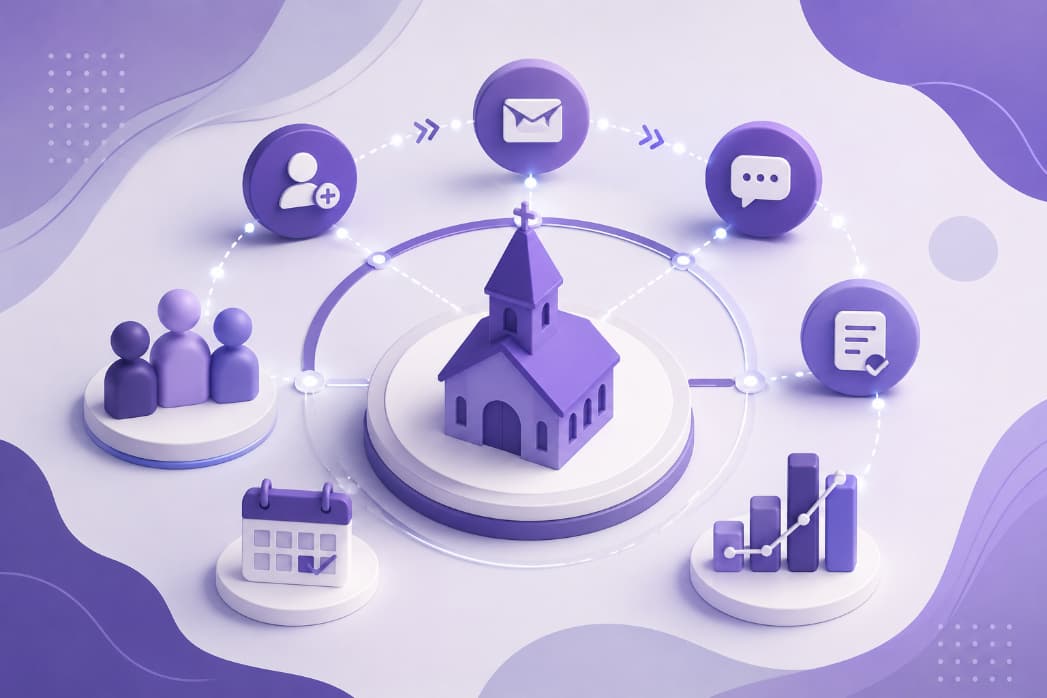
The best church CRM with automation depends on your church's size and what you want to happen without anyone having to remember it. This guide compares eight options with their listed prices and shows the exact workflows Churchease can run for you.
The best church CRM with automation depends on the size of your church and what you want to happen without anyone having to remember it. For a small or growing church that wants follow-up, messaging and giving in one affordable system, Churchease includes workflow automation on its Growth plan at $49 a month with unlimited members. Planning Center suits churches that prefer to pick and pay for separate products, ChurchTrac suits churches that want fund accounting included in every plan, ChurchSuite suits UK churches, and Tithely suits churches that put online giving first.
Below: what church CRM automation is, eight options compared, and exactly what Churchease automates. Competitor details are what each provider listed publicly when we last checked in 2026, so confirm current prices on their own site.
What church CRM automation actually is
A church CRM is where you keep your people: members, families, visitors, groups and the history of how you have cared for them. Automation means the software takes the next step when something happens. Every automation has two parts: a trigger (what happened) and an action (what the software does about it).
Here are six concrete examples. Each one is a workflow you can build in Churchease today.
- A first-time visitor registers. The visitor gets a welcome email, the staff role you choose gets an email with the visitor's details, and a follow-up is created for a team member.
- Someone submits a form, such as a prayer request or a baptism interest form. They get a thank-you email, your team is notified, and the person is added to the right group.
- A new person is added to your church. They are placed in your newcomers group, receive a welcome email straight away, and receive a second message a few days later.
- A birthday or anniversary arrives. The person gets a greeting by email or text on their day.
- Someone gives for the first time. They receive a thank-you message.
- A pledge falls behind its expected pace. The member gets one gentle reminder, not repeated messages.
The people in your church still do the caring. Automation makes sure the first step always happens, even in a busy week.
Church CRM software with automation: 8 options compared
We list only what each provider advertises, and say so where something is not advertised. Ask each one to show you its exact triggers and actions in a demo.
1. Churchease
- Automation: workflow automation is included on the Growth plan.
- Price: the Starter plan is free forever. Standard is $29 a month and Growth is $49 a month, on flat tiers with unlimited members.
- Also worth knowing: AI features including the Shepherd's Briefing, a members' mobile app on all plans, and text messaging that is A2P 10DLC compliant and usage-based.
- Suits: small and growing churches that want people, follow-up, messaging, giving and accounting in one system at a predictable price.
2. Tithely and Breeze
Breeze is now offered by Tithely as Tithely Church Management, so we cover them together.
- Automation: workflow automation is listed.
- Price: the church management plan is $72 a month, and the All Access bundle is $119 a month. The free plan covers online giving only.
- Also worth knowing: the custom church app is $89 a month on its own or part of the All Access bundle. No named AI feature is listed on its pricing page.
- Suits: churches where online giving is the main focus, or that want a custom-branded app and website bundled together.
See Churchease vs Tithely and Churchease vs Breeze.
3. Planning Center
- Automation: workflow automation is listed.
- Price: modular. You pay per product, from $15 a month per product, with a free tier on every product.
- Also worth knowing: no native AI features. Members use the Church Center app.
- Suits: churches that want strong service planning and worship scheduling, prefer to pay only for the products they use, and have staff to manage a larger, flexible system.
See Churchease vs Planning Center.
4. ChurchTrac
- Automation: workflow automation is listed.
- Price: from $29 a month for up to 75 names, rising with the number of people you track to $119 a month for unlimited. There is a 30-day free trial and no free plan.
- Also worth knowing: fund accounting is included in every plan. Two-way texting and text giving are part of an Enhanced Messaging add-on ($7 a month, with 250 messaging credits). No native AI features.
- Suits: smaller churches that want fund accounting from the first paid tier and are comfortable with a price that rises as they track more people.
5. ChurchSuite
- Automation: yes, through a feature called Flows.
- Price: from about £9 ($15.50) a month, scaling with the modules you choose and the number of contacts. There is a 30-day trial and no free plan.
- Also worth knowing: text messaging requires a third-party SMS account. AI features are not advertised.
- Suits: UK churches that want Gift Aid handled out of the box and like choosing individual modules.
See Churchease vs ChurchSuite.
6. Faith Teams
- Automation: guest follow-up workflows.
- Price: $75 a month for up to 499 active people, rising in tiers to $150 a month. There is a 10-day free trial and no free plan.
- Also worth knowing: 500 texts a month are included, with extra blocks of 500 for $10. AI features are not advertised.
- Suits: churches that want one plan with every feature and a set number of texts in the price.
See Churchease vs Faith Teams.
7. One Church Software
- Automation: an Automation Suite, available on the Core+ tier only.
- Price: per-profile tiers plus add-ons. Core starts at $58 a month for 250 profiles. There is a trial and no free plan.
- Also worth knowing: texting is charged per message ($0.0125 per text after a $5 one-time setup). AI Reporting is listed on Core+ only.
- Suits: churches that want a long-established vendor, or that need built-in background checks or rooms and resources booking.
See Churchease vs One Church Software.
8. Gracely
- Automation: not advertised on its website. Ask Gracely directly if automation matters to you.
- Price: a free plan, then paid plans from $19 a month billed annually, on flat tiers with unlimited members.
- Also worth knowing: text messaging is an add-on ($5 a month plus a per-message charge). AI features are not advertised.
- Suits: churches that want a low monthly price on a paid plan and are comfortable adopting a newer platform.
How Churchease does automation
In Churchease, automations are called workflows. You pick what starts the workflow, add the steps, and set it Live. Workflows sit alongside the rest of your church communication tools.
What can start a workflow
- New Member: a new person is added to your church.
- Visitor Type: someone registers with a visitor type you choose, such as first-time visitor.
- Form Submitted: someone submits a form you choose.
- Joins a Group: a person joins a group you choose.
- Birthday and Anniversary: each person's own day.
- Scheduled Date: a date you pick, for everyone in a group.
- First-Time Giver, Pledge Fulfilled and Pledge Fall-Behind: giving moments worth a thank-you or a gentle reminder.
What a workflow can do
- Send an email or a text message.
- Add the person to one or more groups, such as a newcomers group.
- Email the person who filled in a form or registered.
- Email everyone in a staff role, or a list of email addresses you type in.
- Create a follow-up and assign it to a team member.
- Wait before a step: minutes, hours, days, weeks or months.
Workflows that start from a form submission send email only. Text messages never go to anyone who has opted out.
A Draft never sends
A workflow does nothing until you set it Live. While it is a Draft, it sends no messages and moves nobody into a group, so nothing reaches your congregation until you decide.
Follow-up that assigns itself
Churchease also includes Follow Up from the Standard plan ($29 a month). With auto-assign switched on, each new registration becomes a follow-up for the team member with the fewest open follow-ups, due in 24, 48, 72 or 168 hours. Auto-assign is off until you turn it on. You can also switch on reminders, so the assignee gets a nudge before the follow-up is due.
Shepherd's Briefing
On the Growth plan, the Shepherd's Briefing gives the person who owns your church's Churchease account a weekly picture of who may need care. Every Monday morning it emails them a short, AI-written summary: new people, upcoming birthdays and anniversaries, people who have not checked in for three weeks, a giving summary that includes lapsed givers, prayer requests and how your groups are doing. It begins once your church has at least 15 people and has been on Churchease for 30 days.
Plan and price
Workflow automation and the Shepherd's Briefing are part of Growth, at $49 a month or $490 a year. Follow Up is part of Standard, at $29 a month or $290 a year. The Starter plan is free forever. Every plan has unlimited members. See the pricing page for the full list.
How to choose: five common situations
- You are a small or growing church and want one system. If you want people, follow-up, automated messages, giving and accounting together at a flat price, Churchease Growth is built for that.
- You have no budget yet. Start on a free plan. In Churchease, the Starter plan is free forever, and you can move to Growth when you are ready for automation. See what our free church management software includes.
- Worship planning is your biggest need. Planning Center is well regarded for service planning, and you pay only for the products you use.
- You are a UK church that relies on Gift Aid. ChurchSuite was built in the UK and handles it natively.
- Entry price decides it. Compare like for like. Churchease has a Starter plan that is free forever, and Planning Center and Gracely list free tiers too. For paid plans, check how the price changes as your people count grows.
Frequently asked questions
What is church CRM automation?
Church CRM automation is software that takes the next step for you when something happens in your church records. A trigger, such as a visitor registering or a form being submitted, starts an action, such as a welcome email, a note to staff, or a follow-up assigned to a team member. People still do the caring. The software makes sure nothing is forgotten.
Is there a free church CRM with automation?
Several church systems have a free plan, including Churchease, Planning Center and Gracely. Check which plan includes automation before you commit. In Churchease, the Starter plan is free forever and covers people, groups and email, while workflow automation is part of the Growth plan at $49 a month. Every new church gets 30 days of Growth free to try it.
How do I automate church visitor follow-up?
Start with one trigger: a visitor registering. In Churchease, a Visitor Type workflow can email the visitor a welcome, alert the staff role you choose, and create a follow-up for a team member. With auto-assign switched on, each new registration goes to the person with the fewest open follow-ups, with a due date you set.
Can church workflow automation send text messages?
Often, yes. In Churchease, workflows that start from a new member, a birthday or anniversary, a scheduled date or a giving moment can send email or text. Workflows that start from a form submission send email only. Texting is usage-based, A2P 10DLC compliant for US churches, and never goes to anyone who has opted out.
Will a workflow send messages while I am still building it?
In Churchease, no. A workflow stays a Draft until you set it Live, and a Draft never sends. If you later switch a Live workflow back to Draft, steps that were waiting to go out are skipped as well. You decide when your congregation starts hearing from it.
Try it with your own church
Every new church gets 30 days of everything in Growth, free, with no credit card. Set up a visitor welcome workflow, set it Live, and see whether your week gets calmer.
For further reading, see the Pew Research Center on religion.